





Have you ever paused while switching on your smart device and wondered just how safe your smart home security is? We had these same thoughts when installing our underfloor heating and smart sockets. As we continue to embrace an era filled with connected devices, the question of security lingers like an unexpected guest at a dinner party. The conveniences that come with smart home technology are beyond enticing, but it’s crucial to ask ourselves, is our personal information as secure as our home feels toasty? By the end of this article, you’ll not only have the assurance you need but also practical tips to fortify your smart home against potential cyber intruders.
Understanding the Threat Landscape
Before diving into smart home security tips , it is essential to understand the threats looming over these advanced setups. In 2021, cybercrimes caused nearly £3.6 billion in losses worldwide, a staggering figure that’s climbing as technology integration increases. But worry not, understanding is half the battle! Generally, hackers exploit either weak passwords or unsecured networks. Devices like smart cameras, lights, or even your fridge (yes, your fridge!) can be entry points for hackers. The key takeaway? Every connected device is potentially a tiny window into your private life. So how do you nail it shut? Let’s explore! 
Smart Home Security Tips
1. Secure Your Wi-Fi Network
Your Wi-Fi router acts as a gateway that leads to your home’s smart tech. Ensure it stands like a fortress by changing the default name and password. Most default settings come with shockingly simple credentials that are child’s play for hackers. Avoid using your name or any easily guessed details. Opt for WPA3 encryption if available. And while you’re at it, disable any remote management features to make your network harder for unwelcome guests. Wondering how secure your Wifi password will take to crack? Check out Security.org Password Checker 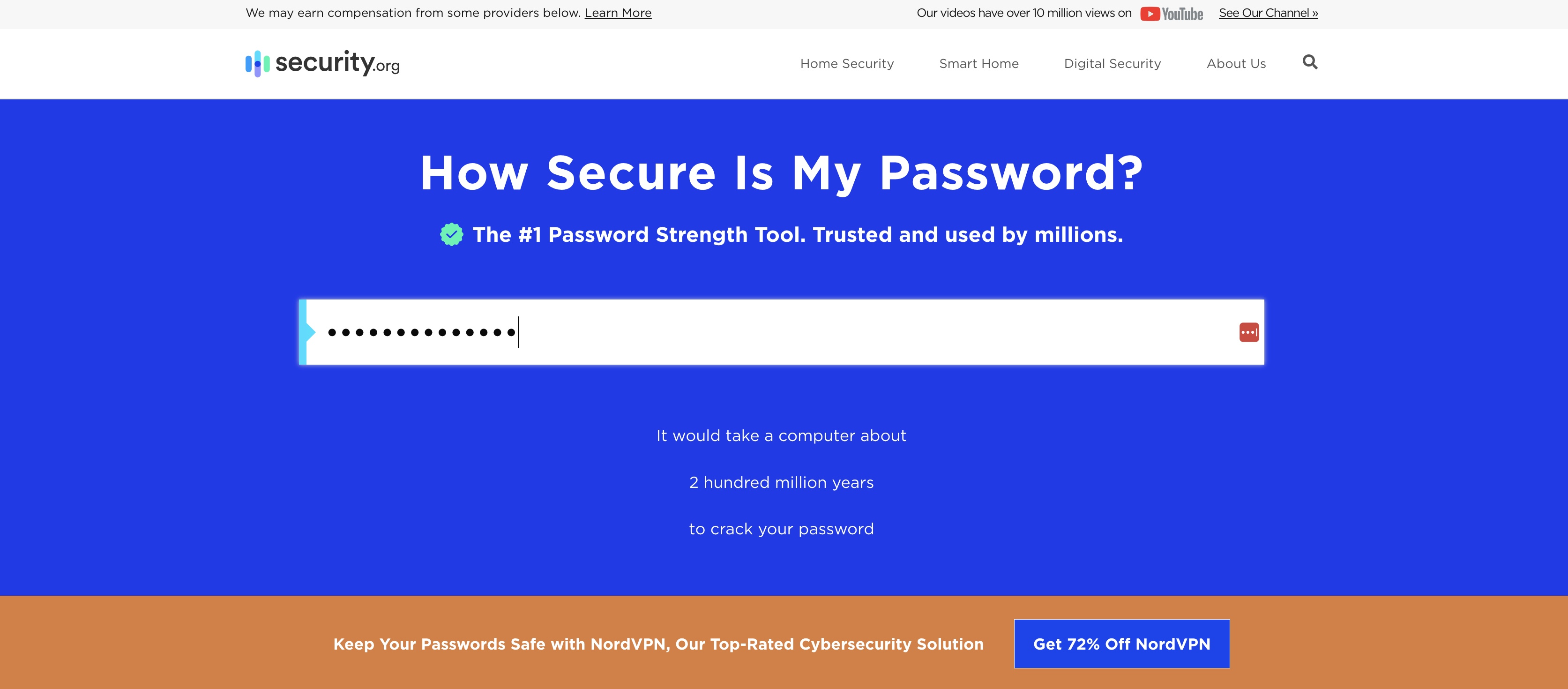
2. Big Winner, Unique Passwords for Every Device
Ah, the good ol’ password conundrum. Simplified sign-in options could leave your home vulnerable if all passwords mirror each other. Password generators can concoct unique, robust passwords for each of your devices. Suddenly, one step further from saying “Ah! They got me!” If you are using Google Chrome for browsing you can quickly check reused and compromised password. Go to Google Password Manager and then Password Checkup. Spend an hour or so to make sure your passwords are unique and save yourself days of headache of someone finding a password and accessing all your devices, or even worse selling your details to others. And don’t forget two-factor authentication (2FA) if available. It is like adding an extra security lock on your front door. 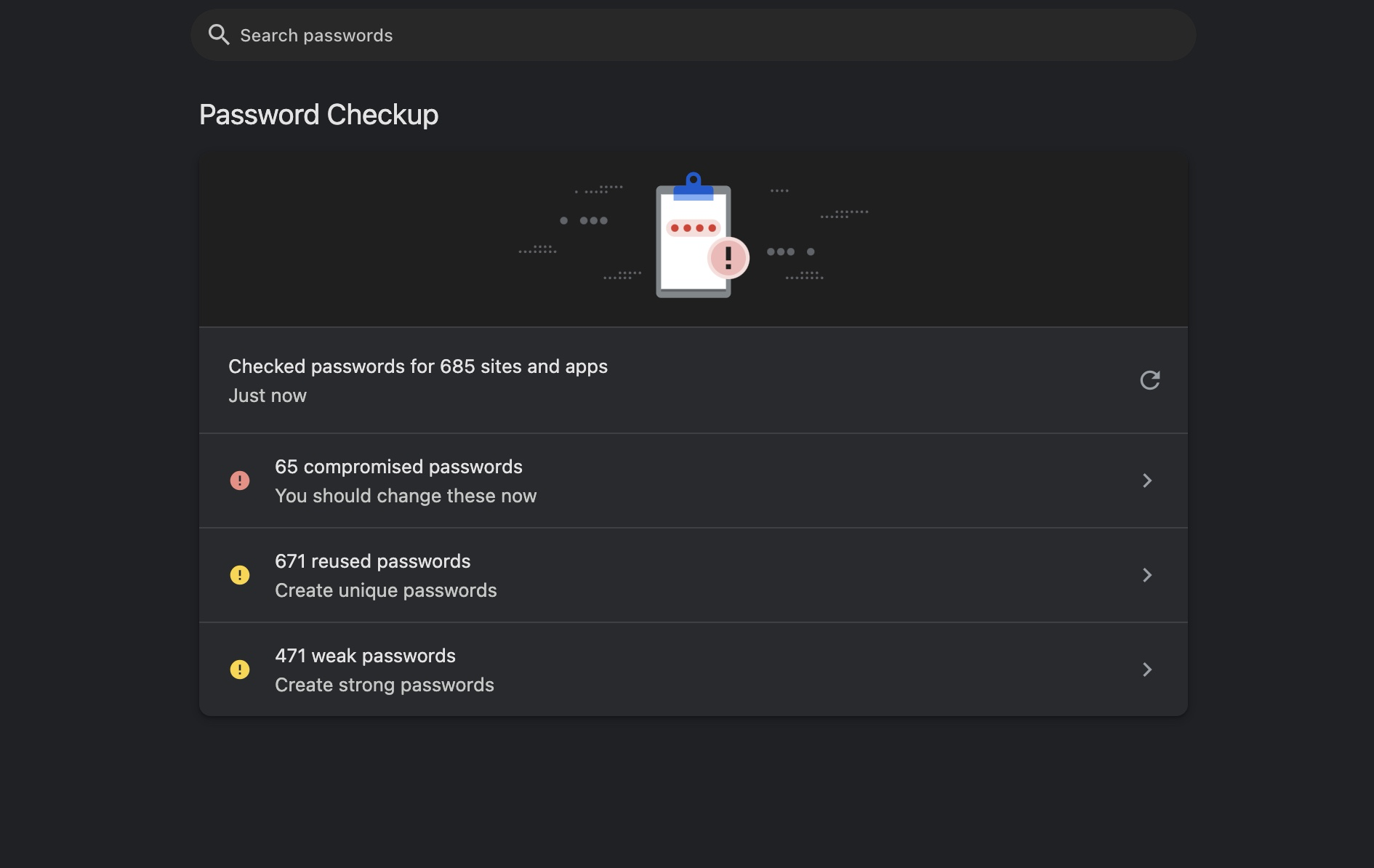
3. Regular Software Updates
Manufacturers release updates to patch security vulnerabilities. Ignoring these is akin to leaving the front door open with a welcome mat. Schedule regular checks to ensure all devices and routers are running the latest software versions. 
4. Device Limits and Permissions
Not every device needs to connect by default. Fewer devices mean fewer entry points. Review permissions and understand what your device accesses, such as location or wifi router data? Wifi router such as Eero by Amazon allows you to see what devices are connected to your network and create profiles around each device. If your router allows you to track devices through an app or your computer. Consider setting up separate networks for guests and IoT devices—imagine having a VIP section for your Wi-Fi. It works wonders in keeping things tidy!  Eero Smart Router by Amazon Eero Smart Router by Amazon |
Source: eero.com |
Types of Common Smart Home Cyberattacks
From camera snooping to remotely unlocking doors, smart homes face a slew of potential threats:
- Man-in-the-Middle Attacks: These occur when a third party intercepts communication between two systems. Strong encryption practices will help prevent these.
- Denial of Service (DoS): Bombarding devices with traffic can render them unusable. Ensuring your network is private and IoT devices have limited access can help reduce risks.
- Firmware Exploitation: Outdated firmware can be manipulated. Regular updates from manufacturers can protect against this.
Your Role – Stay Educated and Involved
Security doesn’t stop at passwords ( We know it’s a pain to change). Adopt a conscious mindset around tech. Stay informed about new threats and device vulnerabilities; at least do the big updates to get the most out of your smart device. If you are as proactive as we are, you can also have an emergency plan in place to quickly change credentials or disconnect devices if something seems awry. Regularly monitoring network activity can act as an early warning system. Better safe than sorry, right?  Exciting developments lie ahead in this realm. It’s wise to keep an eye on upcoming trends and tech companies that favour security. Collaboration between tech companies to create comprehensive security standards is another promising approach. These aim to provide a common ground and bolster consumer trust.
Your home may be smart, but let your security be even smarter!
Remember, as appealing as convenience is, safety shouldn’t be compromised! As the devices around us get cleverer, so must our vigilance. Armed with the tips and understanding of threats discussed here, you should feel secure with all your smart home devices. Get ready to embrace the future without worry.