





Is Your Streaming Setup Secretly Vulnerable?
You settle in, cuppa in hand, ready for that perfect streaming session, only to be met by endless buffering, glitchy pictures, or perhaps even that slightly unnerving feeling that your smart TV is listening in. Welcome to the less glamorous side of home entertainment: cybersecurity and the ever-changing digital landscape. In our always-on world, streaming isn’t just about what you watch; it’s critically about how smoothly and safely you watch it. Every device connected to your home network, and every streaming service you subscribe to, is part of a dynamic digital ecosystem. But don’t fret – by the end of this guide, you’ll understand how smart digital monitors can give you the know-how to secure your streaming hub and optimize your entertainment, without needing a computer science degree.
Why Home Streaming Security Is No Longer Optional
Here’s the plain truth: every gadget on your home network can be a potential open door for cyber threats, and the performance of your streaming services can fluctuate wildly. This includes your smart TV, games console, and even that “smart” speaker you mainly use for timers. In fact, over 30% of home-based cyberattacks specifically target unsecured devices, and streaming quality can vary wildly based on ISP performance or regional server loads. So, if you’re not taking a few straightforward precautions, and actively monitoring the trends, your Saturday night binge of “The Great British Bake Off” might inadvertently be broadcasting more than just your viewing habits – or be frustratingly interrupted by buffering. This is where smart monitors come in. Imagine having a tool that constantly tracks:
- Emerging vulnerabilities in popular streaming devices.
- ISP performance trends in your area.
- Price changes and new content across your favorite streaming services.
- Real-time outages or performance issues reported by other users.
Lock Down Your Router: It’s Your Digital Front Door
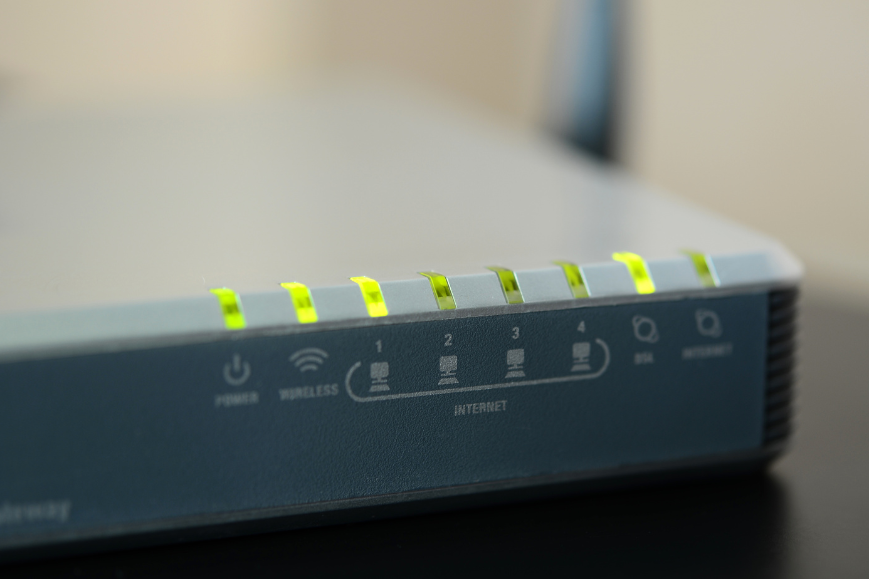
Let’s begin with the absolute basics: your router. Picture it as the bouncer for your home’s internet party. If it’s too relaxed, anyone (or anything) can just stroll in. While you handle the direct setup, smart monitors can provide crucial background intelligence:
- Beyond Default Passwords: While you’re changing that factory-set password (please do!), our monitors can track discussions on forums or security blogs about common router vulnerabilities associated with popular brands, helping you understand where potential weaknesses might lie beyond just simple passwords.
- **Use WPA3 encryption.** You should use WPA3 encryption for Fort Knox-level security. Our monitors can track the adoption rates and security assessments of WPA3-compatible routers from trusted brands on retailers like Amazon or Best Buy, helping you identify top-performing and secure models. **
- Keep your firmware updated. Router manufacturers frequently release crucial security patches. A digital monitor could hypothetically track these updates for common router models and alert you when new firmware is available, ensuring you don’t miss critical security enhancements.
Don’t Let Your Devices Leak Data
Once your router’s security is iron-clad, shift your focus to the actual streaming kit. Your smart TV, games console, and plug-in gadgets like Chromecasts or Fire Sticks each have their own unique characteristics and potential security weaknesses. For optimal security and performance, consider newer models from brands like Samsung, LG, or streaming devices like the latest Roku or Google Chromecast, available at major electronics retailers.
Smart TVs Are Surprisingly Nosy
While they’re called “smart,” these TVs often behave more like that overly curious friend who knows all your business.
- Update firmware regularly. This is the simplest, most effective way to seal up the digital loopholes that hackers love to exploit.
- Disable features you don’t use. If your TV has a webcam or microphone that you’ve never touched, dive into the settings and turn it off. Less active features mean fewer potential vulnerabilities.
- Check the privacy settings. Some default settings on smart TVs are, shall we say, more geared towards “data-harvesting” than genuine “user-friendliness.” Spend a few minutes reviewing them.
Want to Go Deeper?
Everything we’ve covered here gives you a strong foundation, but if you’re keen to take your security a step further and learn how hackers exploit specific streaming devices, we’ve got a dedicated guide for that.
Take a look at our full guide to securing your streaming devices; it’s full of down-to-earth advice you can put into action right away.
Because let’s be honest: smart TVs aren’t getting any less nosy.
Add a VPN: A Cloak for Your Data (and Insights from Monitor Performance)
A Virtual Private Network (VPN) encrypts your online activity, making it significantly harder for nosy third parties to observe what you’re doing – or worse, steal your personal data. You can install a VPN directly on your router to protect every single device connected to your network in one go. Alternatively, you can install it individually on your smart TV or console if the device supports it. Just make sure you choose a reputable VPN provider that explicitly states they do not log your activity. Providers like NordVPN, ExpressVPN, or Proton VPN are often recommended for their strong privacy policies and robust encryption. A rather cheeky side benefit? VPNs can also help you access your favourite UK shows and content when you’re travelling abroad, neatly bypassing those frustrating “this content is not available in your region” messages. How monitors add value here:
- VPN Performance Trends: Our monitors can track real-time performance data and user reviews of top VPN providers , helping you choose one that ensures smooth streaming.
- Content Access Monitoring: For that “cheeky side benefit” of accessing content abroad, monitors can track geo-restriction changes on streaming platforms or VPN effectiveness in bypassing them, ensuring your content access remains uninterrupted.
- Security Audits: Track discussions and reports on security audits of major VPN providers , ensuring the service you choose maintains its privacy promise.
Get Smooth Streaming Without Sacrificing Security
Being secure online certainly doesn’t mean your streaming experience has to suffer. In fact, a more secure setup, informed by smart data, often leads to better, more reliable performance.
Prioritise Your Internet Traffic
If your partner is uploading a huge photo album to the cloud while you’re trying to watch the F1 Grand Prix, someone’s going to end up disappointed with buffering. To avoid this, use Quality of Service (QoS) settings on your router to give streaming traffic priority access to your bandwidth. This ensures your shows get the data they need. For fixed devices like your smart TV or games console, connect them directly with Ethernet cables instead of relying on Wi-Fi. A wired connection is inherently faster and far more stable than even the best Wi-Fi, giving you a much smoother experience. How Love the Idea Intel Platform enhances this:
- ISP Performance Tracking: Our monitors can track ISP network congestion trends in your area or user-reported outages , allowing you to anticipate and troubleshoot buffering issues.
- QoS Optimisation Insights: While you manage your router’s QoS, monitors can track optimal settings recommendations for various streaming services based on aggregated user data and network analysis.
Streamlining for Sanity
Keep your streaming apps tidy! Organise your platforms – like Netflix, Prime Video, and Disney+, for quick, easy access. A bit of order now means far less faffing about later. A monitor could even track user reviews for streaming app interfaces to help you choose the most user-friendly platforms.
“Set It and Forget It?” Not Quite.
Cybersecurity isn’t a one-and-done chore. Think of it like brushing your teeth – it requires regular, quick maintenance. Make it a habit to check your devices every month or two:
- Run firmware and software updates as soon as they’re available.
- Review your router’s list of connected devices to ensure only your known gadgets are on the network.
- Log out of any streaming services you no longer use or have accessed on public Wi-Fi.
These quick, painless checks are absolutely worth the peace of mind they provide.
Make Streaming Safer for Everyone
Your home streaming setup should be a source of pure enjoyment, not a potential cybersecurity risk. By adopting these straightforward, very doable steps, you will not only significantly boost your entertainment experience but also robustly protect your personal data and, crucially, your peace of mind. Let’s stop viewing cybersecurity as optional. In a world where tech companies rarely go out of their way to explain what not to do, it’s genuinely up to us to use our smart tech… smartly. Now, go forth and enjoy your telly. Safely.